The iPhone lap timer for track days
LapKeeper
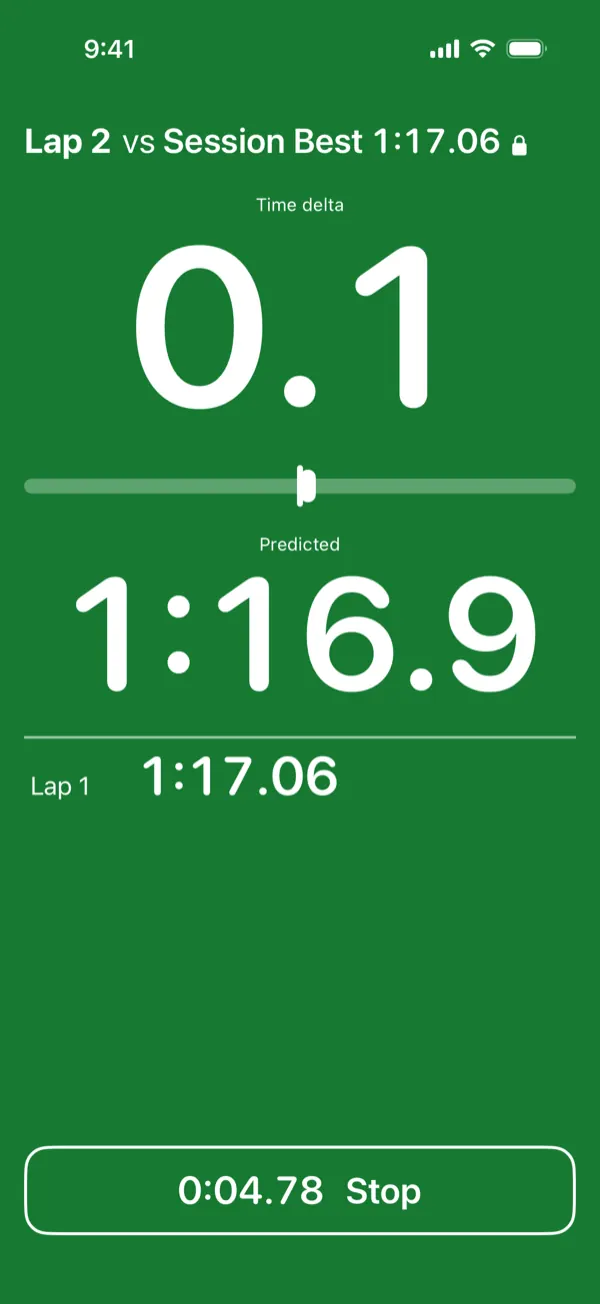
It times every lap and predicts the one you're on against your reference lap, so the screen turns green when you're ahead.
Coming soon to the App Store
Live predicted lap time and delta
Know the lap you're on
Predicted lap
Where this lap will finish, updated as you drive it.
Time delta
How far ahead of or behind your reference you are, right now. While you're ahead, the whole screen fills with your Ahead color.
Your reference
Session Best, today's best, your PB in this car or any car, or any lap you've kept, even one from a friend's file.
Large enough to read from the seat, with nothing else on it once the prediction shows. LapKeeper remembers your reference for each track, and Settings picks the Ahead and Behind colors.
Before you drive
Ready when you are
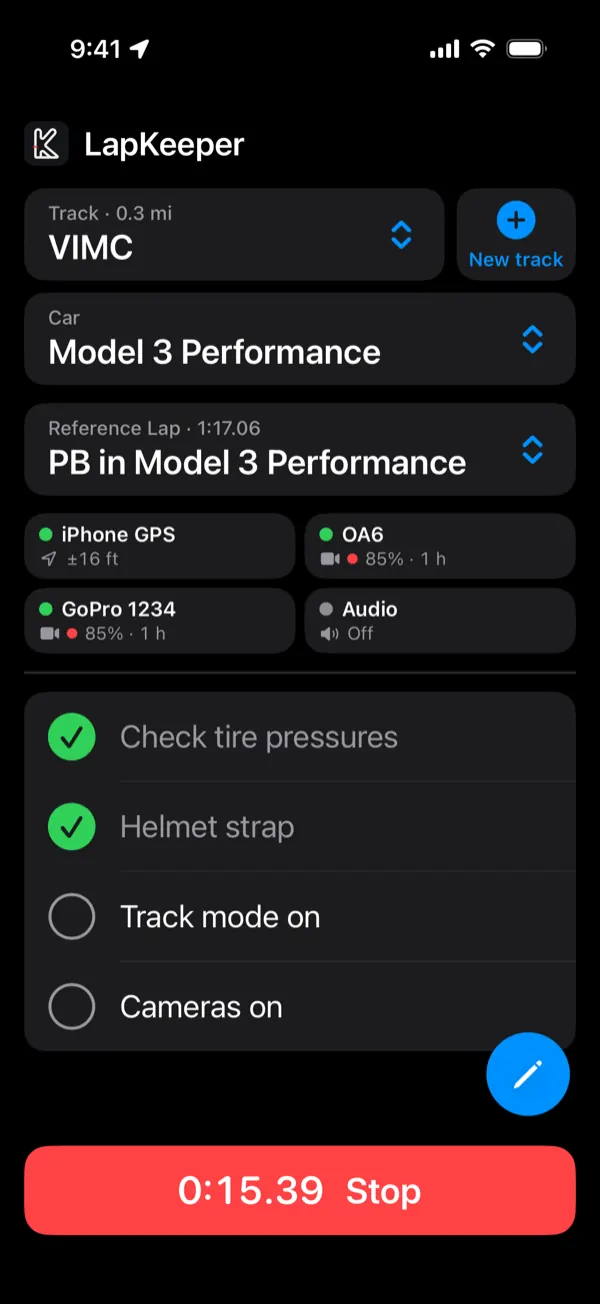
LapKeeper opens on the nearest track, with your reference lap, a tile for your GPS, your car's data and each camera, and your checklist. A camera in photo mode or short of card is called out before you go out. Tick each item, and drive.
Any track, or none
Time laps anywhere
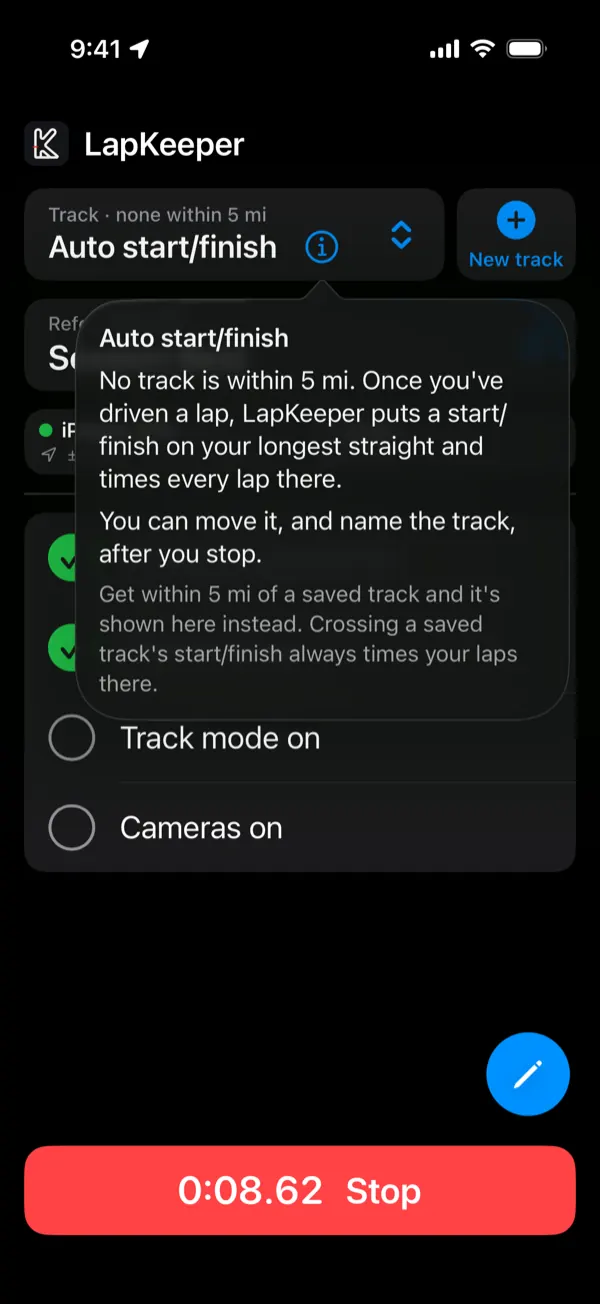
More than 30 circuits in the US and Canada come with their start/finish marked, some with their turns numbered, and your laps are timed as you cross it. Nowhere near one? Drive one loop, even around a city block, and Auto puts a start/finish on your longest straight and starts predicting. Move it and name the track after you stop.
Lap two tracks in one drive, and LapKeeper offers to split it into a session for each.
Analysis
Where the time is
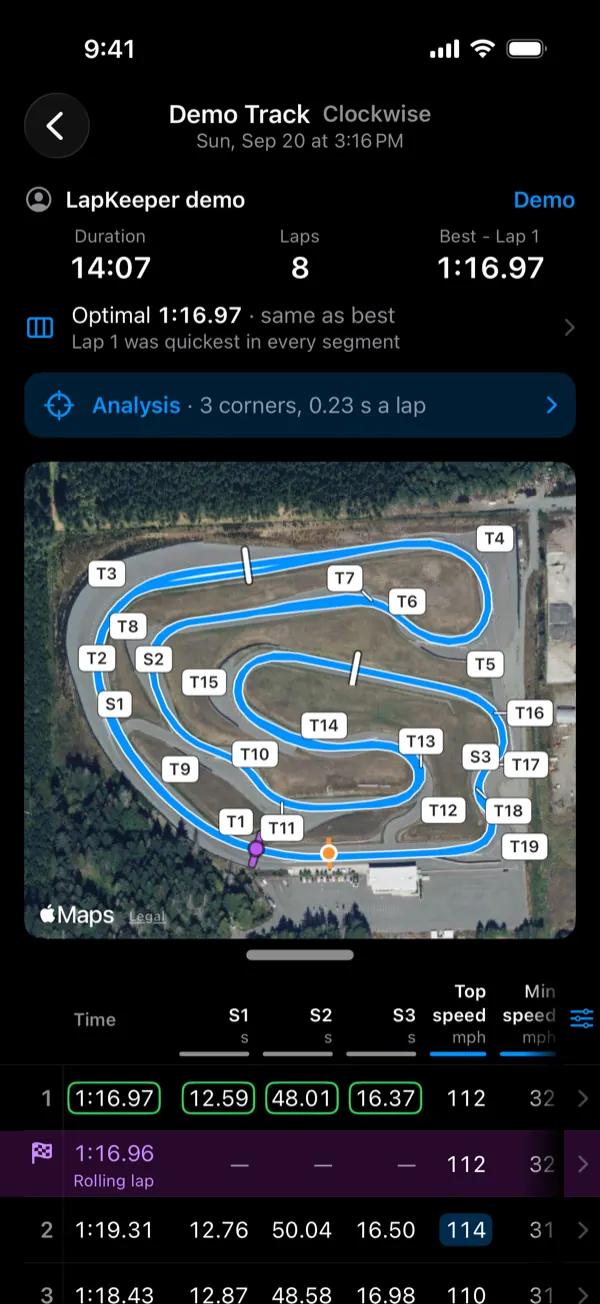
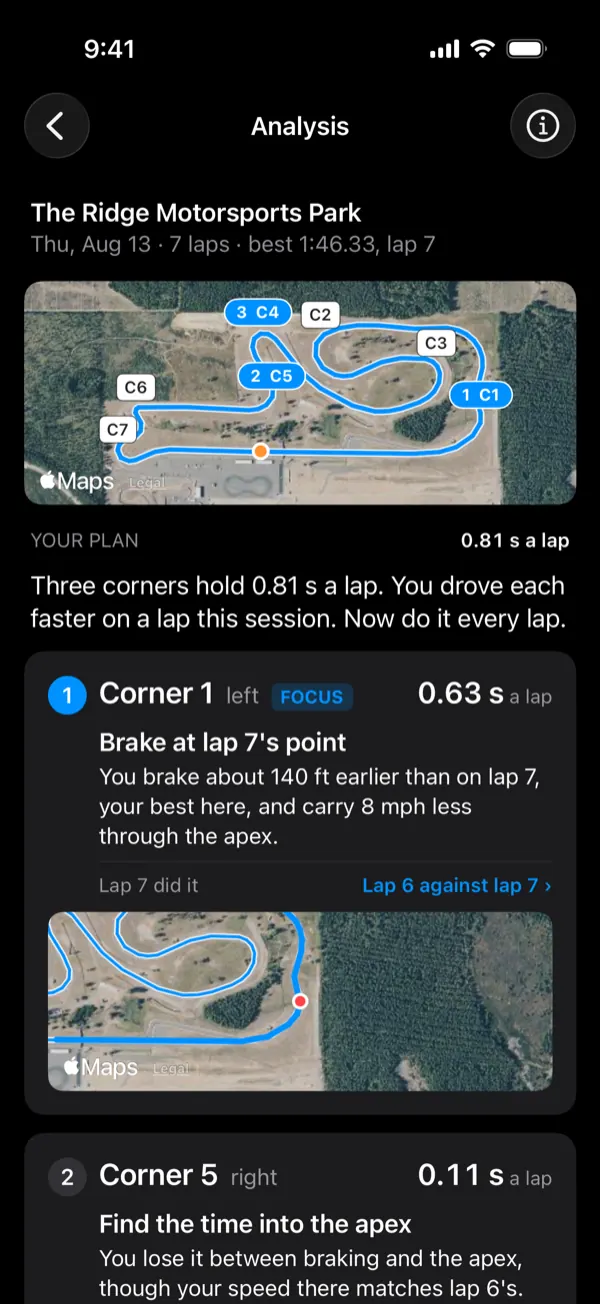
Tap Analysis on a session, and LapKeeper finds the three corners worth the most time a lap, against your own quickest pass through each. Each says what to change, such as braking at lap 7's point, and opens lap review on the two laps that differ there.
It needs three laps close to your best. The phone's GPS finds the corners, and a GPS device at 4 fixes a second or more, like a RaceBox, adds the braking points and exits.
Lap review
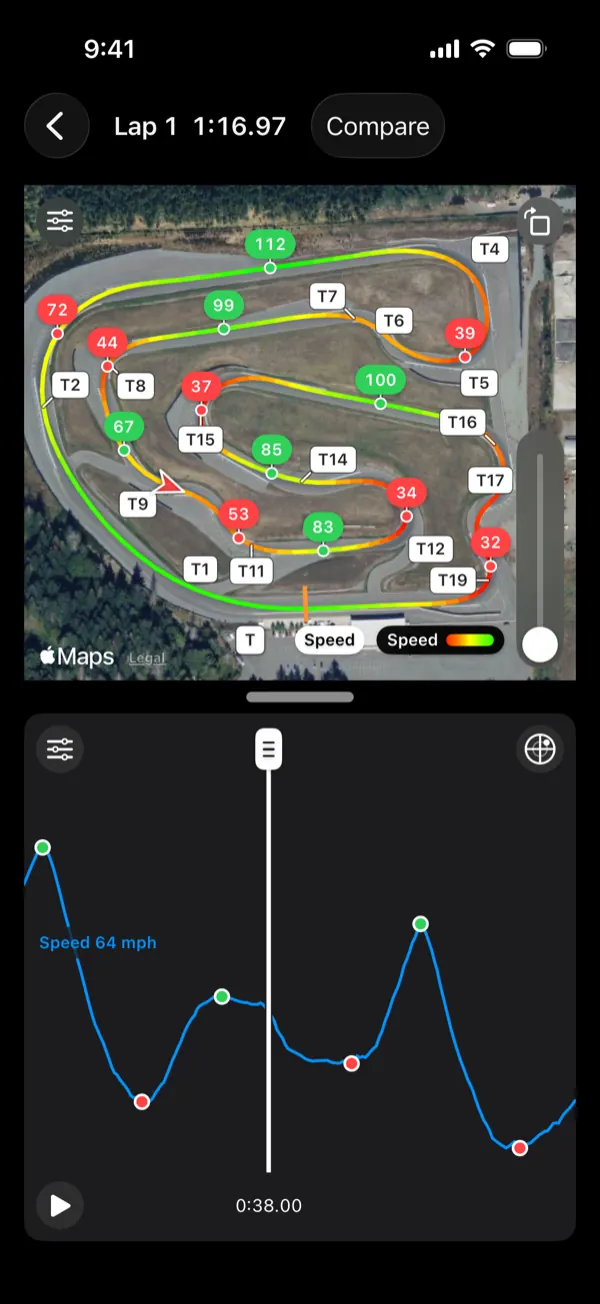
See where the time went
Every lap on the map, colored by speed, with flags at its highs and lows and the track's turn numbers. The plot under it follows the car as the lap plays: speed, g, or any channel your car records.
Compare laps
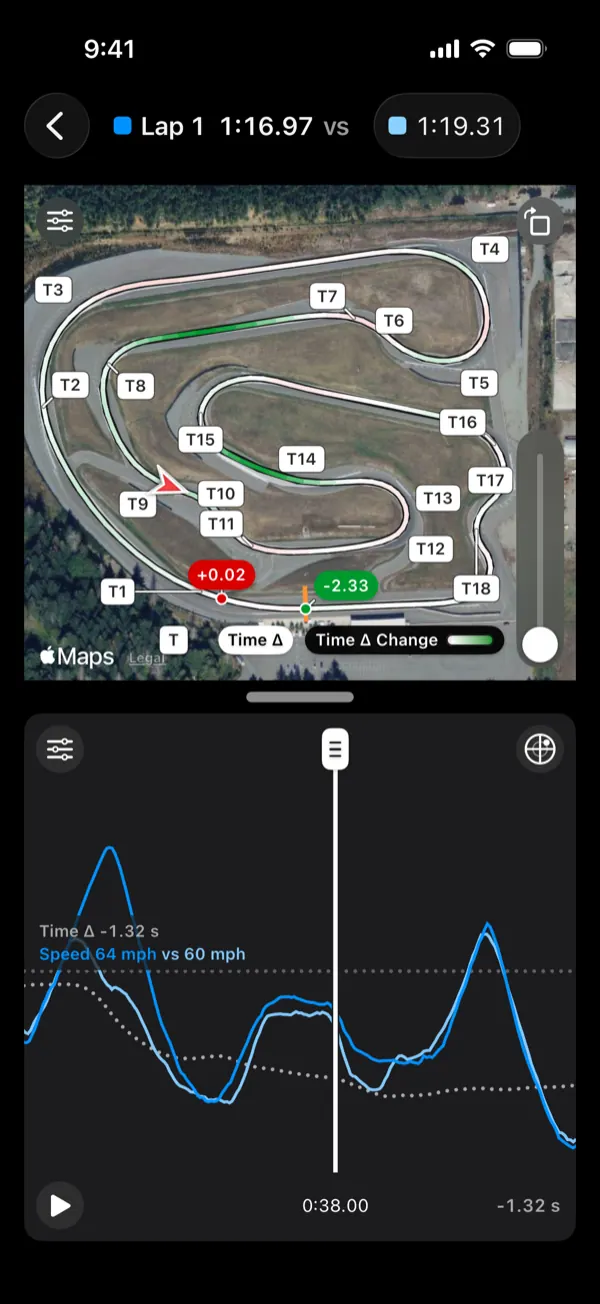
Lap against lap
Put any lap beside another: from the same session, another day, or a friend's shared session. The time delta shows where one gained on the other, corner by corner.
Your tracks and sessions
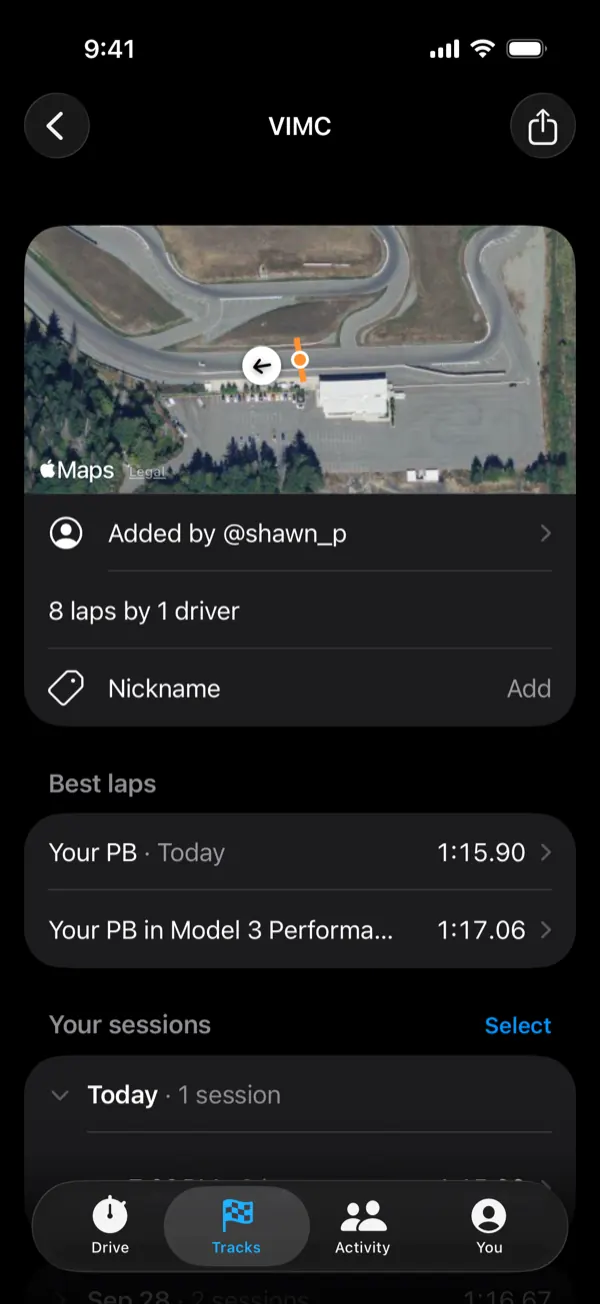
Every track day, kept
The closest track comes first, then every track you've timed at. A track's page has your best laps, a card for each day, and a picker for each layout and direction, with the turns numbered on its map. Search for a track, find one on the map, or give one a shorter name only you see.
Share with friends
Share laps with friends
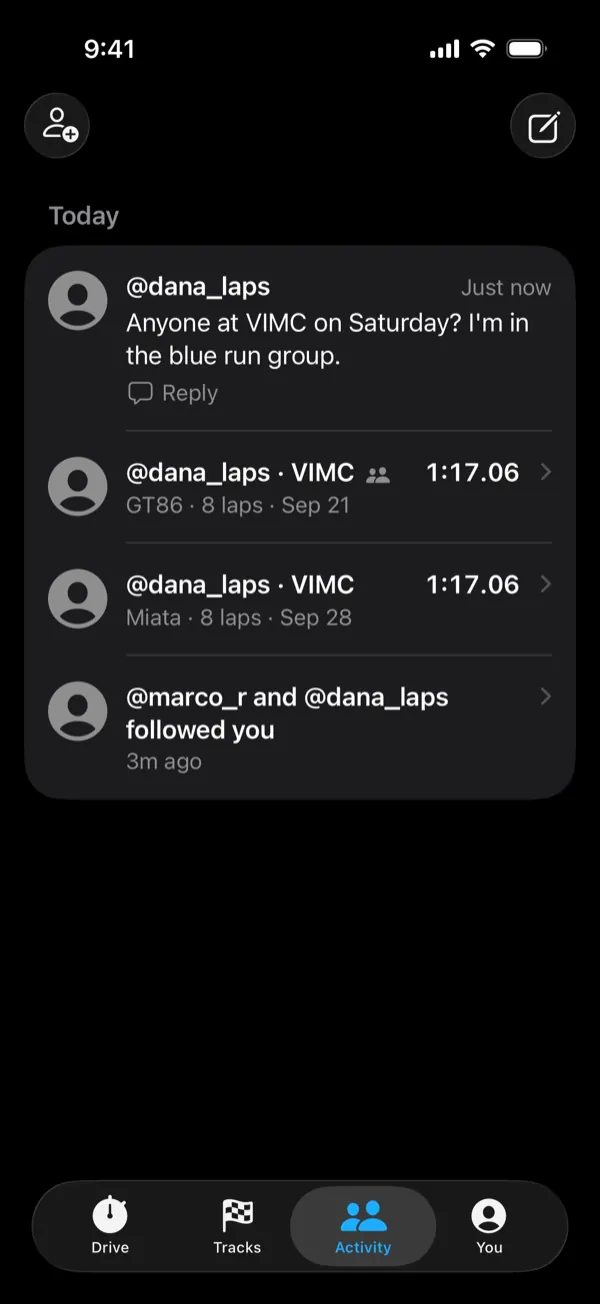
Follow friends, share sessions with them, and see your best beside theirs on a track's page. Activity shows who followed you, the laps they shared and what they posted.
Keep a track private, or share it with only the drivers you choose. Every driver can have a public page at lapkeeper.com.
Audio coaching
Hear it without looking
Lap times, spoken
Each lap's time as you cross the line, through the phone, your headphones or the car.
Brake fade warning
A spoken warning, a flashing icon or both when your brake pedal starts going long, from your car's CAN channels. Off until you turn it on.
Turn each on in Settings → Audio coaching, with a latency test for your headphones or car.
Your data
Your laps, where you want them
VBO export
Send any session as a VBO file, with your CAN channels and the predictions you saw as extra columns, to the other lap tools you use.
Google Drive backup
Each session backs up to your Google Drive with everything recorded beside it, and picks up again on its own if the app closes.
Imports
Bring in VBO files and other lap timers' sessions, yours or a friend's. They're timed on the track's start/finish so they compare with your laps, and someone else's never count as yours.
Devices
Start with your phone. Add more when you want it.
-
Your iPhone
LapKeeper times with the phone's own GPS, with nothing else to buy.
-
RaceBox and other GPS devices
Pair a RaceBox Mini, Mini S or Micro, at up to 25 fixes a second, or a Bluetooth GPS that sends NMEA, in place of the phone's GPS.
-
OBD-II adapters
RPM, throttle, coolant and more from a Bluetooth OBD-II adapter, such as an OBDLink CX, recorded beside the GPS.
-
CAN bus devices
Throttle, brake pressure, steering and more from a CAN bus device on your car, recorded beside the GPS.
-
GoPro and DJI cameras
LapKeeper can start them recording as timing starts and stop them after Stop, and warns of one in photo mode or short of card or battery.
-
Headphones and car audio
The Audio tile shows where the coaching goes and switches it with a tap, with a preferred output for each car and a latency test for each.
Coming soon to the App Store
Questions, or want to hear when it's out? support@lapkeeper.com